FLLINTERS JOURNAL
Double-click any card to read the full article

10 Web Design Trends 2026
From brutalist revival to glassmorphism 2.0, discover what's shaping the web.
 Sarah van der Merwe
10 Web Design Trends 2026

The digital landscape is evolving faster than ever, and 2026 is bringing a fascinating blend of nostalgia and innovation. From the raw authenticity of brutalist design to the ethereal layers of glassmorphism 2.0, this year's trends reflect our collective desire for both honesty and wonder in digital spaces.
1. Brutalist Revival
Raw, unpolished, and refreshingly honest—brutalism is making a comeback. Websites are stripping away the gloss to reveal structure, with exposed grids, stark typography, and minimal ornamentation.
2. Glassmorphism 2.0
The frosted glass effect evolves with more sophisticated layering, deeper blurs, and interactive elements. Designers are creating interfaces that feel tangible.

ROI of Brand Storytelling
How leading brands use narrative to drive growth and build lasting relationships.
 James van der Merwe
The ROI of Brand Storytelling

In a world saturated with advertising, stories cut through the noise. When done right, narrative marketing can increase conversion rates by up to 30% and build customer loyalty that lasts decades.
The Neuroscience of Stories
When we hear a compelling story, our brains release oxytocin—the "trust hormone." This chemical reaction makes us more receptive to messages and more likely to remember them.

AI Transforming Creative Workflows
How designers use AI to enhance creativity, not replace it.
 Thabo Mokoena
How AI is Transforming Creative Workflows

Artificial intelligence isn't coming for creative jobs—it's coming to enhance them. Forward-thinking designers and marketers are using AI tools to handle repetitive tasks, generate ideas, and explore possibilities they wouldn't have time to consider manually.
Ideation and Inspiration
Tools like Midjourney and DALL-E have become brainstorming partners, generating visual concepts that spark new directions.

Sustainable Printing Guide
Eco-friendly materials and processes that reduce environmental impact.
 Lisa Naidoo
Sustainable Printing Guide

As environmental concerns become increasingly urgent, brands are rethinking every aspect of their operations—including print. Sustainable printing isn't just good for the planet; it's becoming a competitive advantage.
Eco-Friendly Materials
From recycled papers to biodegradable inks, the options for sustainable printing have expanded dramatically.
Instagram Algorithm 2026
Data-backed strategies to increase reach and engagement.
 Priya Singh
Instagram Algorithm 2026

Instagram's algorithm continues to evolve, but the fundamentals remain: engagement, relevance, and relationships determine what users see.
Reels Still Reign
Video content, especially Reels, continues to receive priority in feeds. Accounts posting regular Reels see 2x the reach of photo-only accounts.

Psychology of Color
How color choices influence perception and buying decisions.
 David Chen
The Psychology of Color in Branding

Color isn't just decorative—it's a powerful communication tool that influences perception, emotion, and behavior. The right color choices can increase brand recognition by up to 80%.
Red: Energy and Urgency
Red increases heart rate and creates urgency—why it's used for clearance sales. Brands like Coca-Cola and Netflix use red to convey excitement.
Blue: Trust and Stability
Blue lowers heart rate and suggests reliability. Financial institutions favor blue—it's the world's favorite color.
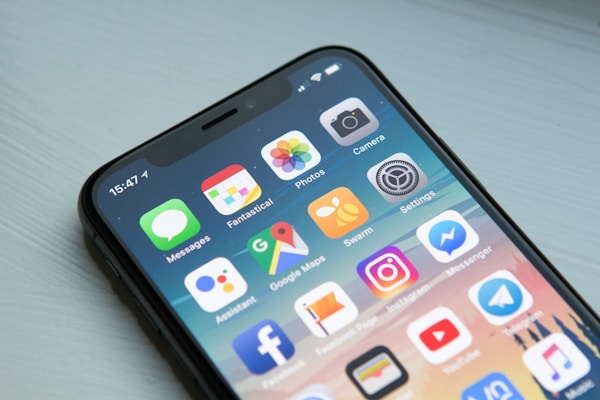
Mobile-First Design in 2026
Why designing for small screens first is no longer optional—it's essential for success.
 Michael Olu
Mobile-First Design in 2026

With over 65% of web traffic now coming from mobile devices, designing for mobile first isn't just a trend—it's a necessity. Mobile-first design means starting with the smallest screen and progressively enhancing for larger displays, ensuring that every user gets an optimal experience regardless of device.
1. Touch-Friendly Interfaces
Finger-friendly tap targets, ample spacing, and gesture-based navigation are crucial. Buttons should be at least 44x44 pixels, and interactive elements should be placed within easy thumb reach.
2. Performance Optimization
Mobile users expect speed. Optimize images, minimize code, and leverage browser caching to ensure your site loads quickly even on slower connections. Every second of delay can cost conversions.
3. Content Hierarchy
On small screens, content must be ruthlessly prioritized. What's most important should appear first. Use progressive disclosure to reveal additional information as needed, keeping the interface clean and focused.

Voice Search Optimization
How to optimize for voice assistants like Siri, Alexa, and Google Assistant.
James van der Merwe
Voice Search Optimization 2026
Voice search is no longer the future—it's the present. With over 40% of adults using voice search daily, optimizing for conversational queries is essential for visibility.
Natural Language Processing
Voice searches are longer and more conversational than typed queries. Optimize for question-based phrases like "Where's the best coffee shop near me?" rather than "coffee shop."
Featured Snippets
Voice assistants typically read from featured snippets. Structure your content to answer questions directly and clearly to increase chances of being selected.
Local SEO
Many voice searches are local—"restaurants open now." Ensure your Google Business profile is complete and accurate, and include location-specific keywords.

Short-Form Video Strategy
How brands are winning with Reels, Shorts, and TikToks.
Priya Singh
Short-Form Video Strategy
Short-form video dominates social media. Instagram Reels, YouTube Shorts, and TikTok generate billions of views daily. But creating content that stands out requires strategy, not just luck.
Hook in 3 Seconds
You have 3 seconds to capture attention before viewers scroll. Start with a compelling visual, intriguing question, or surprising statement that makes them want to watch more.
Trends vs. Evergreen
Riding trends can boost visibility, but evergreen content provides lasting value. Balance timely content with tutorials, tips, and stories that remain relevant.
Call to Action
Every video should have a purpose. Whether it's driving traffic, encouraging comments, or promoting a product, make your call to action clear and compelling.

Sustainable Packaging Trends
Eco-friendly packaging that delights customers and protects the planet.
Lisa Naidoo
Sustainable Packaging Trends 2026
Consumers increasingly choose brands that align with their values. Sustainable packaging isn't just good for the environment—it's good for business.
Biodegradable Materials
Mushroom-based packaging, seaweed films, and compostable plastics are replacing traditional materials. These innovations break down naturally without harming ecosystems.
Minimalist Design
Less is more. Reducing packaging size and eliminating unnecessary layers saves resources and appeals to eco-conscious consumers. Smart design maintains protection while using fewer materials.
Reusable Systems
Refillable containers and returnable packaging programs build loyalty and reduce waste. Brands like Loop are pioneering circular economy models.

Web Accessibility Guide
Making your website usable for everyone, including people with disabilities.
 Alex Thompson
Web Accessibility: Designing for Everyone

Web accessibility ensures that people with disabilities can perceive, understand, navigate, and interact with your website. It's not just ethical—it's often legally required and expands your audience.
Screen Reader Compatibility
Proper heading structure, alt text for images, and ARIA labels make your site usable with screen readers. Test with tools like NVDA or VoiceOver to identify issues.
Color Contrast
Sufficient contrast between text and background helps users with low vision. WCAG guidelines require a contrast ratio of at least 4.5:1 for normal text.
Keyboard Navigation
All functionality should be available via keyboard. Users should be able to tab through interactive elements in logical order with visible focus indicators.

Rebranding Strategy Guide
When and how to refresh your brand identity without losing loyal customers.
David Chen
Rebranding Strategy Guide
Rebranding is a powerful tool for growth, but it carries risks. Done right, it can attract new customers and re-energize your team. Done wrong, it can alienate loyal followers.
When to Rebrand
Signs it's time: outdated visual identity, expanded offerings, negative associations, or merging with another company. Rebranding should solve a problem, not create one.
Evolution vs. Revolution
Sometimes a gentle refresh is better than a complete overhaul. Evolve gradually to maintain recognition while signaling change. Companies like Apple and Google have evolved their brands over decades.
Stakeholder Buy-In
Involve employees, key customers, and partners in the process. Their insights are valuable, and their support is essential for successful implementation.

Abandoned Cart Recovery
Strategies to recover 70% of lost sales from shoppers who leave without buying.
 Fatima Hassan
Abandoned Cart Recovery Strategies

Nearly 70% of online shopping carts are abandoned before purchase. That's billions in lost revenue. But with the right strategies, you can recover a significant portion of these sales.
1. Email Remarketing
Automated email sequences can recover 10-30% of abandoned carts. Send a reminder within 1 hour, follow up with a second email after 24 hours, and offer a small discount in the third email. Personalize with product images and a direct link back to the cart.
2. Exit-Intent Popups
Detect when a user is about to leave and trigger a popup offering a discount or free shipping. Make it compelling but not aggressive. Time-limited offers create urgency.
3. SMS Reminders
With opt-in consent, SMS messages have 98% open rates. Send a friendly reminder with a link to complete the purchase. Keep it brief and include the product name.
4. Simplify Checkout
Often carts are abandoned due to complicated checkout. Offer guest checkout, minimize form fields, and show progress indicators. Trust badges and multiple payment options also help.

User-Generated Content
How to leverage customer content to build trust and increase engagement.
 Amara Okafor
User-Generated Content Strategy

User-generated content (UGC) is any content created by customers rather than brands. It's authentic, trusted, and highly effective at driving engagement and conversions.
1. Encourage and Incentivize
Create branded hashtags, run contests, and offer rewards for customers who share photos or reviews. Feature the best content on your social channels and website.
2. Curate and Showcase
Not all UGC is created equal. Select high-quality content that aligns with your brand aesthetic. Create dedicated galleries or social media highlights to showcase customer content.
3. Build Community
UGC fosters a sense of community among customers. When users see others engaging with your brand, they're more likely to participate. Respond to and acknowledge contributions.
4. Legal Considerations
Always ask permission before reposting user content. Develop clear terms and conditions for contests and campaigns to ensure you have rights to use submitted content.

Product Photography Tips
How to take professional product photos that increase sales.
James van der Merwe
Product Photography That Sells
Great product photography can dramatically increase conversion rates. Here's how to capture images that showcase your products in the best light.
1. Lighting is Everything
Natural light works well for many products, but consistent studio lighting gives you control. Use softboxes or light tents to eliminate harsh shadows. Avoid mixed lighting temperatures.
2. Multiple Angles
Show products from different perspectives. Include close-ups of details, textures, and features. 360-degree views or short videos can be especially effective.
3. Context Matters
Show products in use to help customers visualize ownership. Lifestyle shots create emotional connections and demonstrate scale and functionality.
4. Consistency
Maintain consistent backgrounds, lighting, and styling across your product catalog. This creates a professional, cohesive brand experience.
Google Analytics 4 Guide
Understanding GA4's new metrics and reports for better insights.
Alex Thompson
Google Analytics 4: What You Need to Know
Google Analytics 4 represents a fundamental shift from Universal Analytics. It's event-based rather than session-based, offering more flexible and powerful tracking.
1. Event-Based Tracking
Everything in GA4 is an event. This allows for more granular tracking of user interactions. Set up custom events for button clicks, video views, and form submissions.
2. Engagement Metrics
GA4 introduces "engaged sessions" and "engagement rate" instead of bounce rate. These metrics better reflect user interest and interaction quality.
3. Cross-Platform Tracking
GA4 can track users across websites and apps, providing a more complete view of the customer journey. This is essential for businesses with multiple digital touchpoints.
4. Predictive Metrics
Machine learning powers predictive metrics like purchase probability and churn probability, helping you target users most likely to convert.

Persuasive Copy Techniques
Words that convert: psychological triggers and proven copywriting formulas.
Amara Okafor
Persuasive Copywriting Techniques
The words you choose can make the difference between a bounce and a sale. Here are proven psychological triggers and copywriting formulas that convert.
1. The AIDA Formula
Attention - Interest - Desire - Action. Grab attention with a strong headline, build interest with benefits, create desire through emotional appeal, and prompt action with a clear CTA.
2. Social Proof
Testimonials, reviews, and case studies build trust. People follow the actions of others. Include specific results and names when possible.
3. Scarcity and Urgency
Limited time offers, low stock alerts, and exclusive deals trigger fear of missing out. Use genuinely, not manipulatively.
4. Benefit-Focused Headlines
Features describe, benefits sell. Instead of "24-hour battery," write "Never run out of power during your workday."

Client Onboarding Process
How to set the stage for successful client relationships from day one.
David Chen
Streamlined Client Onboarding Process
A smooth onboarding process sets the tone for your entire client relationship. It builds trust, clarifies expectations, and prevents misunderstandings.
1. Welcome Package
Send a welcome email introducing your team, outlining next steps, and providing key information. Include a video message to add a personal touch.
2. Kickoff Meeting
Schedule a detailed meeting to discuss goals, timelines, and expectations. Use an agenda to stay focused and document key decisions.
3. Project Timeline
Provide a clear timeline with milestones and deliverables. Use project management tools to keep everyone aligned and informed.
4. Communication Guidelines
Establish preferred communication channels, response times, and meeting schedules. This prevents confusion and ensures smooth collaboration.

Starting a Brand Podcast
How to launch, grow, and monetize a podcast that builds your brand authority.
Thabo Mokoena
Starting a Brand Podcast: Complete Guide
Podcasting has exploded in popularity, with over 500 million listeners worldwide. For brands, it offers an intimate way to connect with audiences and establish authority.
1. Define Your Concept
What's your podcast's unique angle? Who's your target audience? What value will you provide? Answering these questions shapes everything from format to marketing.
2. Essential Equipment
You don't need a professional studio to start. A decent USB microphone, quiet space, and free recording software like Audacity can produce quality episodes. Upgrade as you grow.
3. Consistent Publishing
Podcasts thrive on consistency. Whether weekly or bi-weekly, set a schedule and stick to it. Batch-record episodes to maintain momentum.
4. Distribution and Promotion
Submit to all major platforms: Apple Podcasts, Spotify, Google Podcasts. Promote episodes on social media, in newsletters, and through cross-promotion with other podcasters.
5. Monetization Options
Once you have an audience, monetize through sponsorships, premium content, merchandise, or using the podcast to drive sales for your core products.

Virtual Event Planning
How to create engaging online events that rival in-person experiences.
Fatima Hassan
Virtual Event Planning Guide
Virtual and hybrid events are here to stay. They offer broader reach, lower costs, and valuable data. But keeping attendees engaged requires intentional design.
1. Choose the Right Platform
Zoom works for simple meetings, but dedicated event platforms offer networking, exhibition halls, and analytics. Consider Hopin, Airmeet, or Remo for larger events.
2. Interactive Elements
Combat screen fatigue with polls, Q&A sessions, breakout rooms, and live chat. Gamification like leaderboards and prizes boosts engagement.
3. Rehearse Thoroughly
Technical issues kill engagement. Run full rehearsals with all speakers, test audio/video, and have backup plans. Assign a tech host to manage issues during the event.
4. Post-Event Follow-Up
Send recordings, resources, and surveys to attendees. Repurpose content as blog posts, social clips, or on-demand viewing to extend value.

Fundraising Campaigns
Digital strategies for nonprofits to reach donors and raise more.
Lisa Naidoo
Digital Fundraising Strategies for Nonprofits
Digital fundraising is essential for modern nonprofits. It allows you to reach donors globally, tell your story compellingly, and build lasting relationships.
1. Compelling Storytelling
Donors give to impact, not overhead. Share specific stories of people you've helped. Use photos, videos, and testimonials to create emotional connection.
2. Peer-to-Peer Campaigns
Empower supporters to fundraise on your behalf. Provide tools, templates, and coaching. Their networks multiply your reach and bring in new donors.
3. Recurring Giving Programs
Monthly donors provide sustainable funding. Make recurring giving easy and highlight its impact. Consider small perks or recognition for sustainers.
4. Donor Stewardship
Thank donors promptly and regularly. Share updates on how their gifts made a difference. Build relationships, not just transactions.

Virtual Staging Guide
How digital staging helps sell properties faster and for more money.
James van der Merwe
Virtual Staging: Sell Properties Faster
Virtual staging adds furniture and decor to photos of empty rooms digitally. It's more affordable than physical staging and helps buyers visualize themselves in the space.
1. Cost-Effective Alternative
Physical staging costs thousands per month. Virtual staging is a fraction of the price and can be completed in days. Perfect for vacant properties.
2. Style Flexibility
Show different design styles to appeal to various buyers. Modern, traditional, minimalist—test what resonates with your target market.
3. Highlight Room Potential
Help buyers understand awkward spaces. Show how an empty corner could become a home office or how a small room can be furnished effectively.
4. Disclosure Requirements
Always disclose virtually staged images. Most MLS platforms require labeling. Be transparent to maintain trust with buyers.

Remote Team Building
Activities and strategies to keep remote teams connected and engaged.
Amara Okafor
Building Strong Remote Teams
Remote work offers flexibility but can lead to isolation. Intentional team building maintains culture, trust, and collaboration across distances.
1. Virtual Coffee Chats
Pair team members randomly for informal 15-minute chats. Use tools like Donut in Slack to automate matching. These build personal connections beyond work tasks.
2. Online Games
Virtual escape rooms, trivia, or Among Us sessions create fun shared experiences. Keep them optional and during work hours to include everyone.
3. Recognition Programs
Publicly celebrate wins and milestones. Create channels for shout-outs, send small gifts, or feature team members in newsletters.
4. In-Person Gatherings
If possible, organize annual retreats or regional meetups. Face-to-face time strengthens relationships formed online.

Telehealth UX Design
Designing healthcare experiences that are accessible and reassuring.
Michael Olu
Telehealth: Designing for Patients
Telehealth usage has skyrocketed, but many platforms frustrate users, especially older adults. Good design can reduce anxiety and improve health outcomes.
1. Simple Onboarding
Patients may be anxious or unfamiliar with technology. Guide them step-by-step with clear instructions, tooltips, and minimal jargon.
2. Accessibility First
Design for all abilities. Large buttons, high contrast, screen reader compatibility, and adjustable text size accommodate diverse users.
3. Clear Communication
Explain what to expect before, during, and after appointments. Send reminders and confirmations. Make follow-up instructions easy to find.
4. Privacy and Trust
Healthcare data is sensitive. Clearly communicate security measures and compliance. Make privacy policies accessible and understandable.